See BALISTIQON in action
Watch the localized overview of the platform, its workflow and its main features.
How the platform works
BALISTIQON helps record, synchronize, compare and analyze data. It does not replace user experience, safe handling, practical verification or compliance with local law.
One account, two workspaces
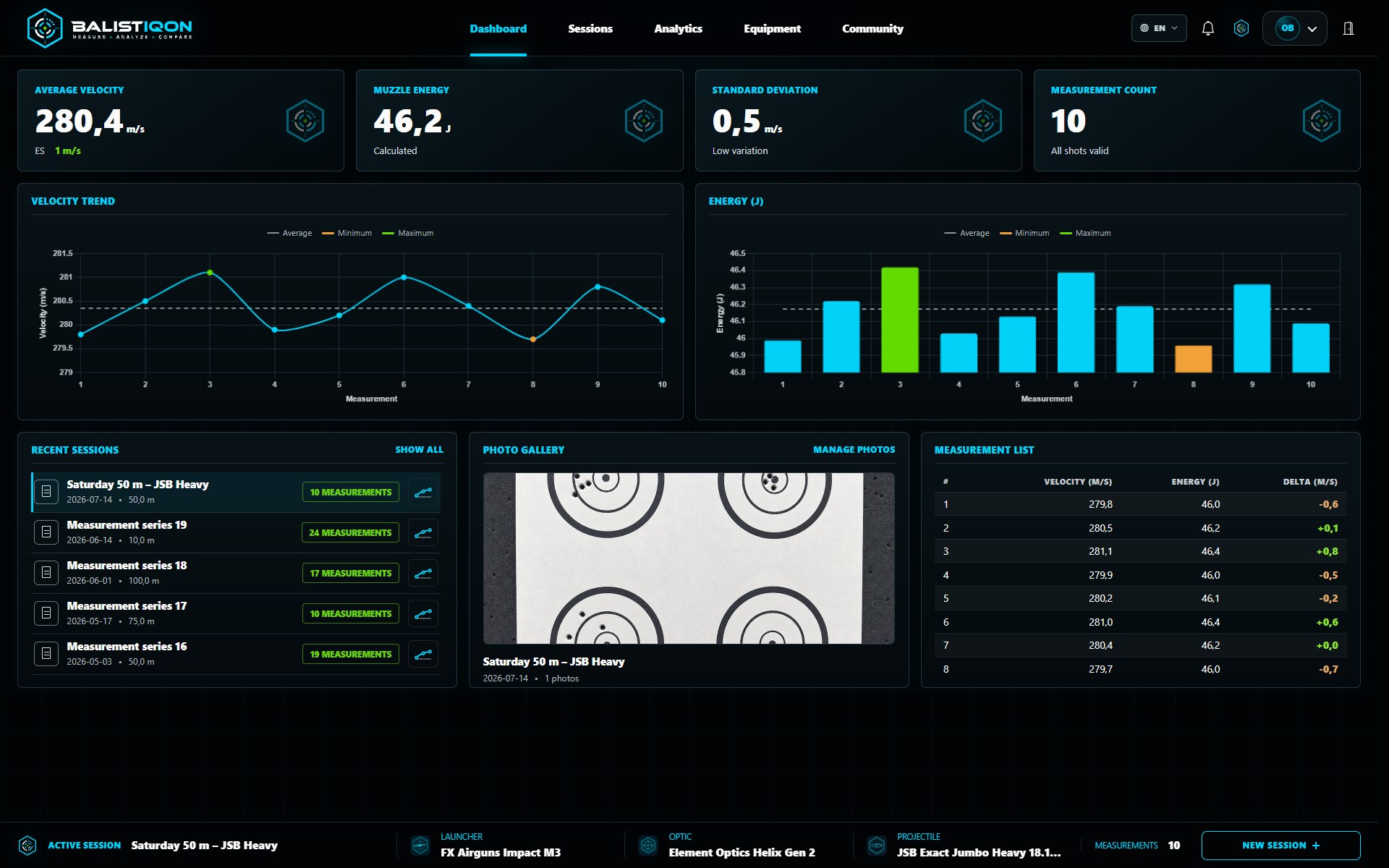
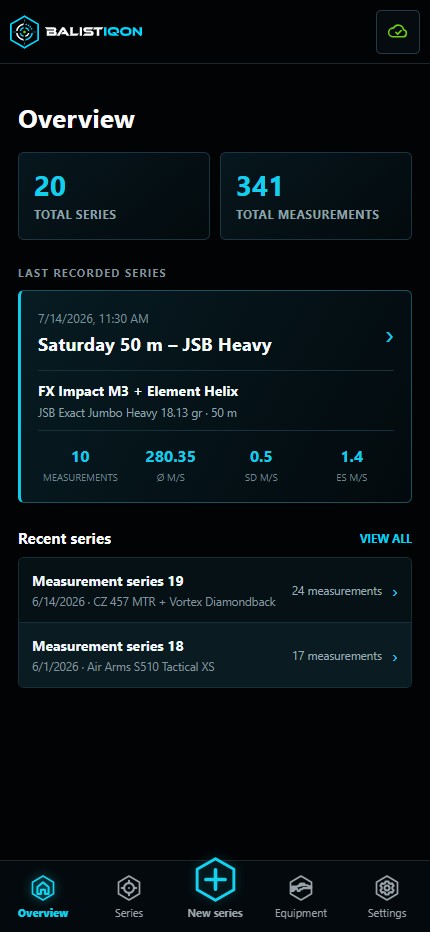
The web workspace and mobile client are not separate services. After sign-in they use the same account and data. A series recorded beside the chronograph on a phone can later be opened and analyzed on the web.
Each interface fits its setting: the web provides room for management and analysis, while the mobile client is optimized for quick touch operation.
Measurement series and readings
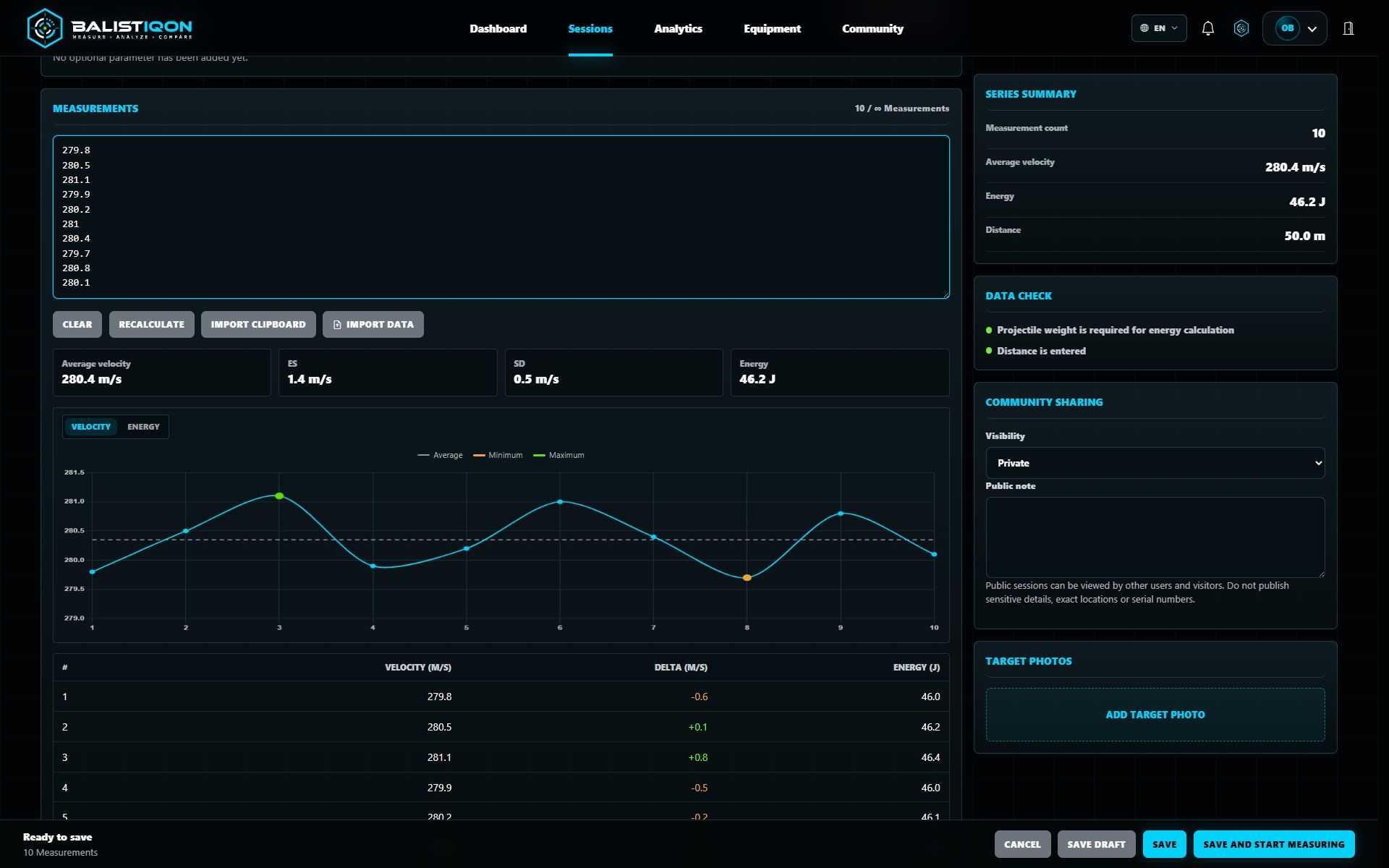
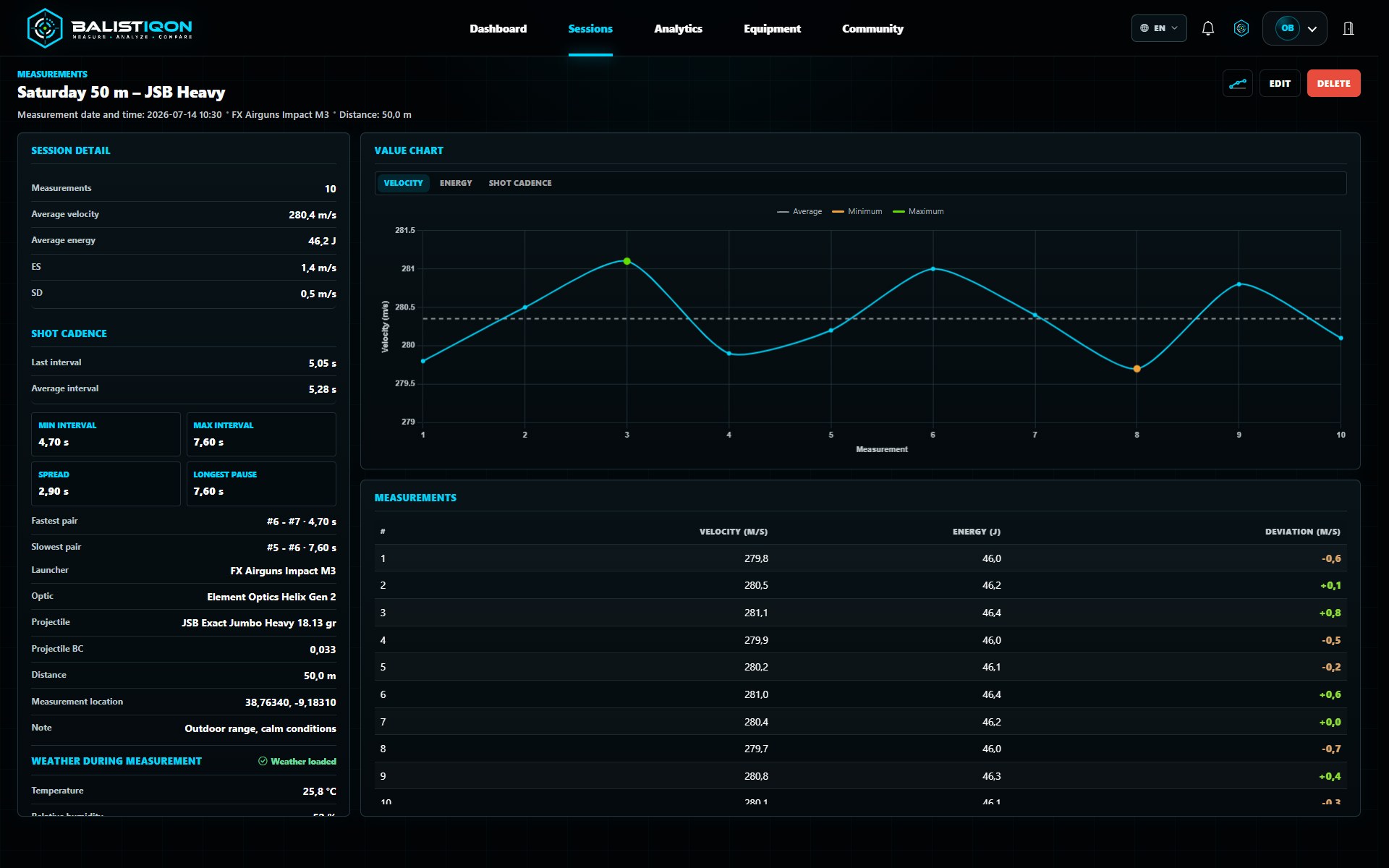
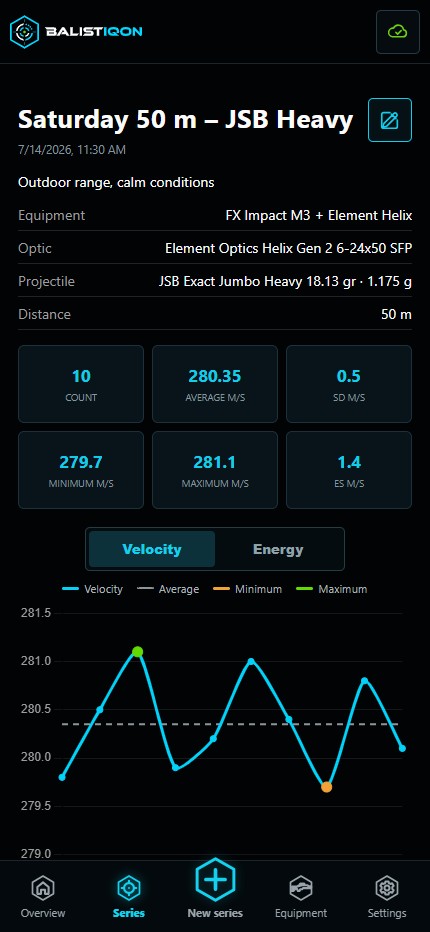
Each series connects individual velocities with date, equipment, projectile, weight, distance, notes and photos. BALISTIQON calculates velocity and energy summaries and presents the readings in charts.
The same detail is available on the web and in the mobile client, so a record can be checked immediately and revisited later without retyping.
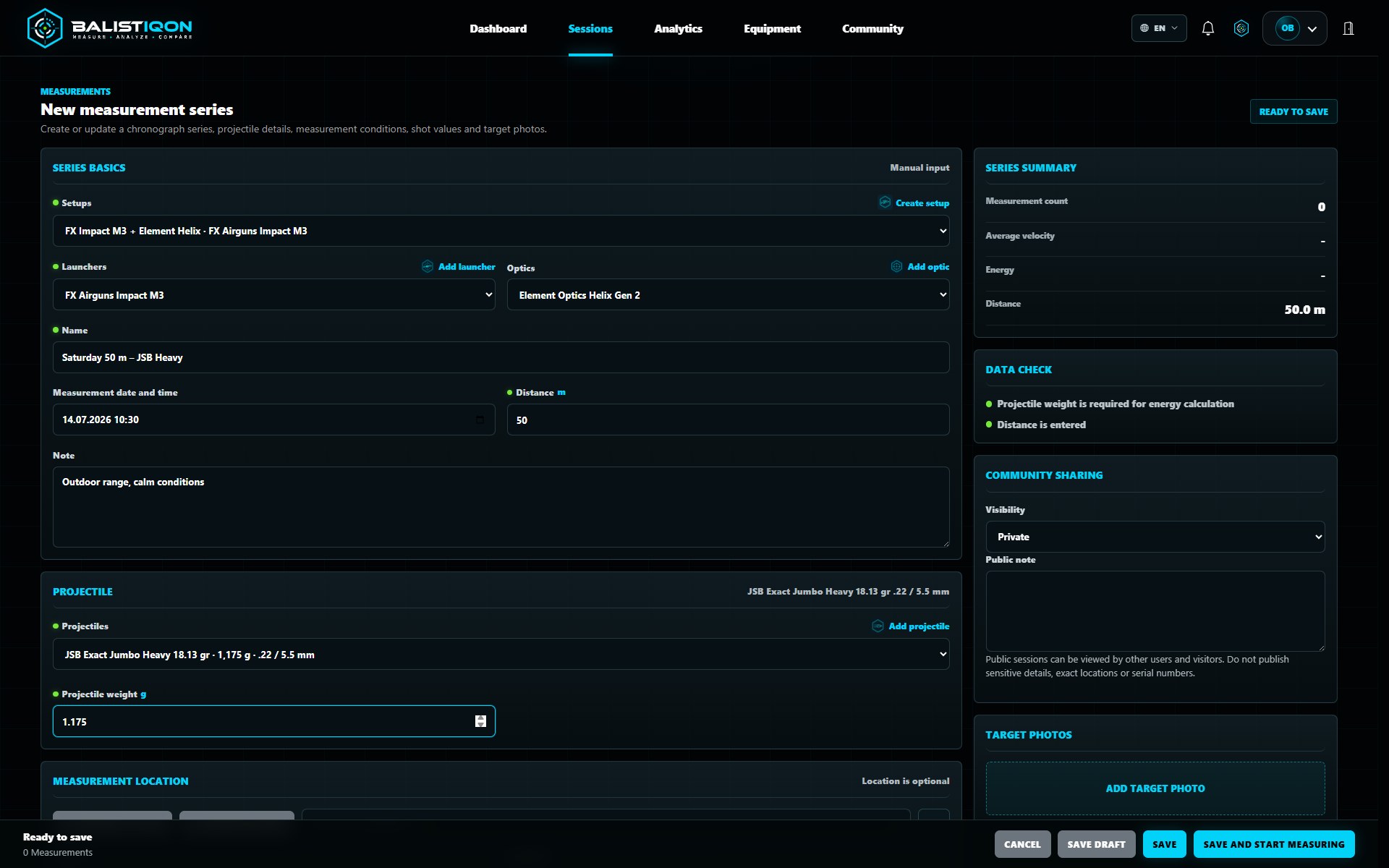
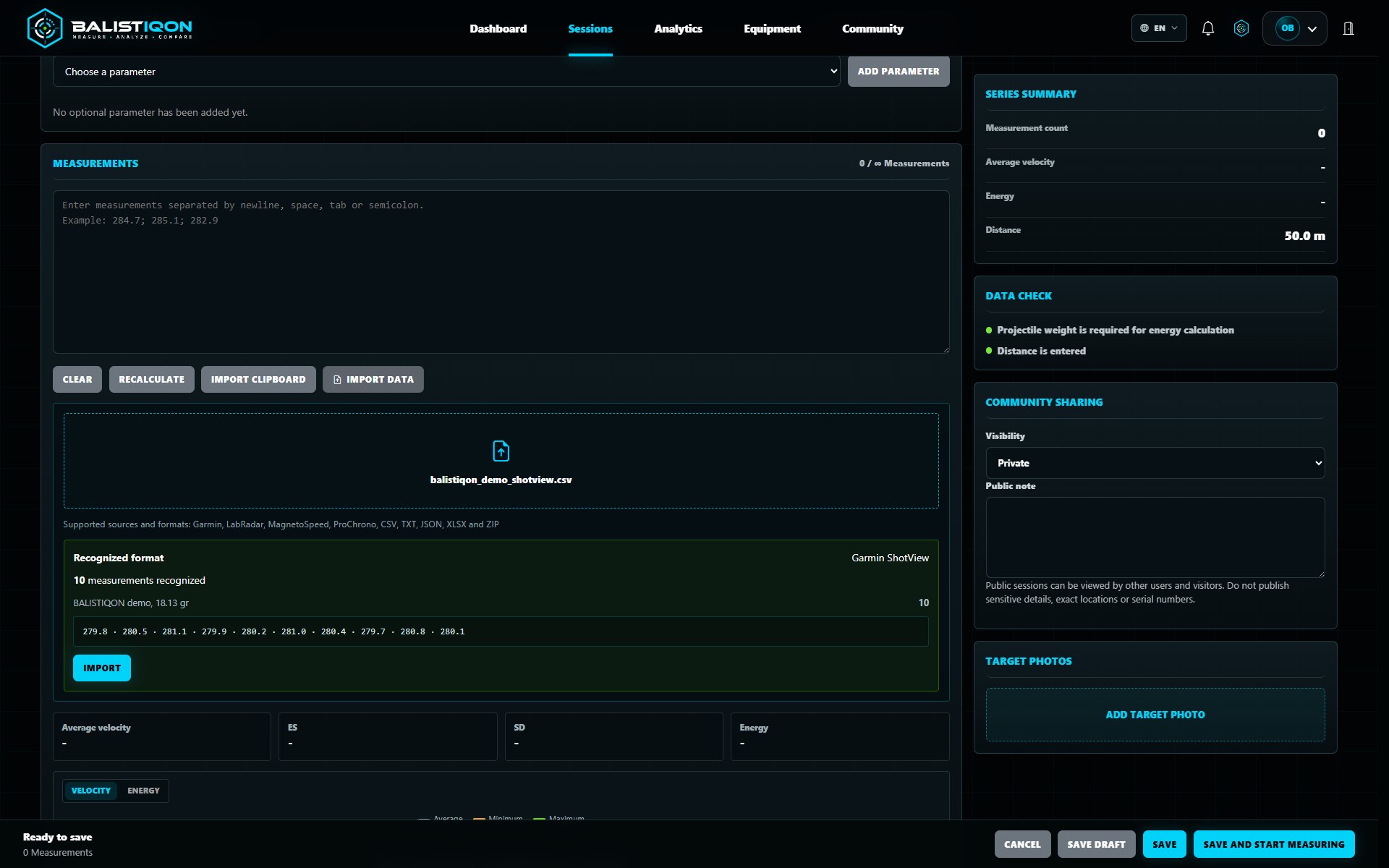
A new series can be entered in the web application or mobile client one reading at a time, as a bulk paste, or from a supported import file with Pro. Missing equipment can be created during the draft, with photos added from the camera, gallery or file picker.
Required relationships and compatibility checks help prevent incomplete or implausible equipment and projectile combinations.
Equipment, setups and catalog data
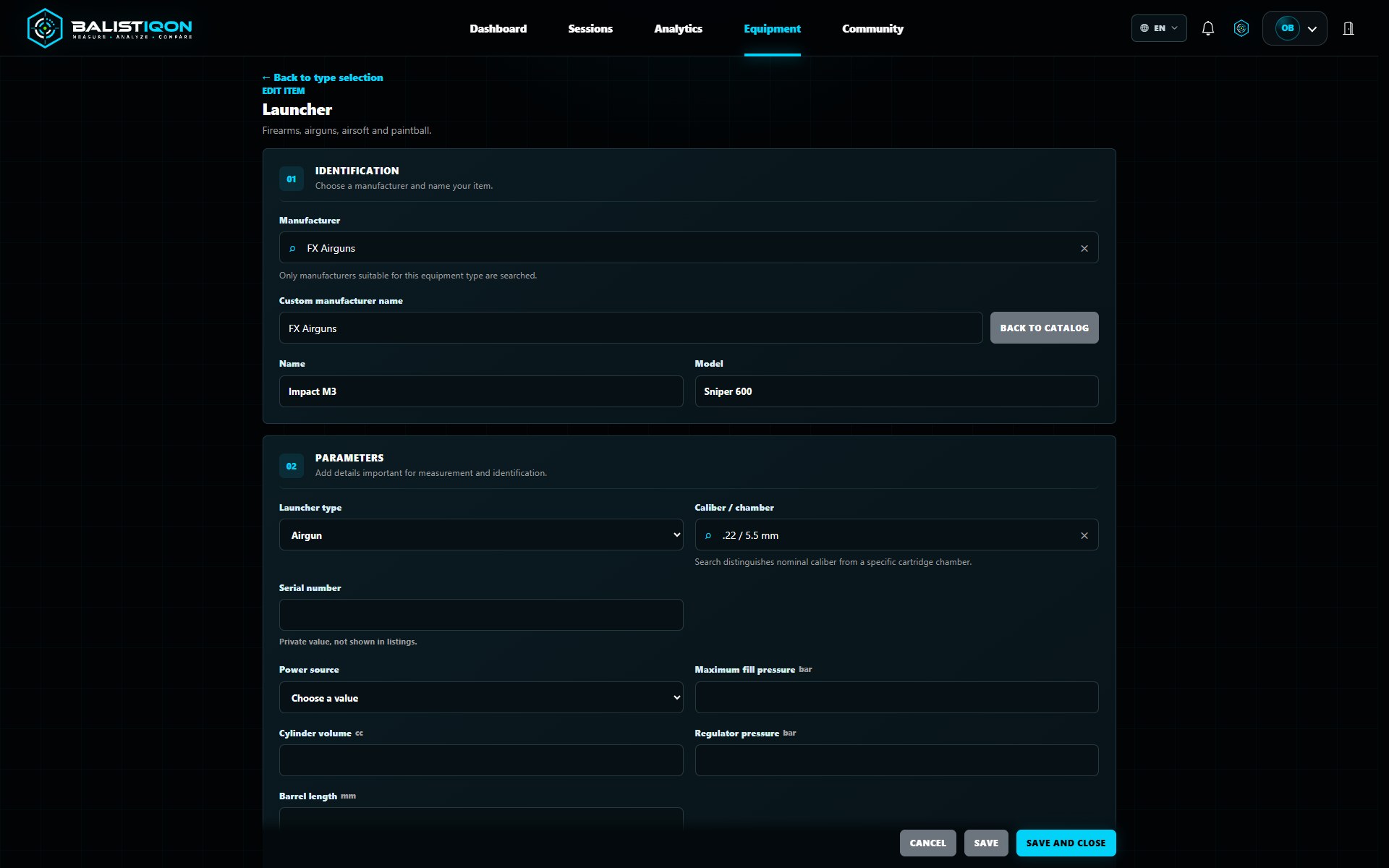
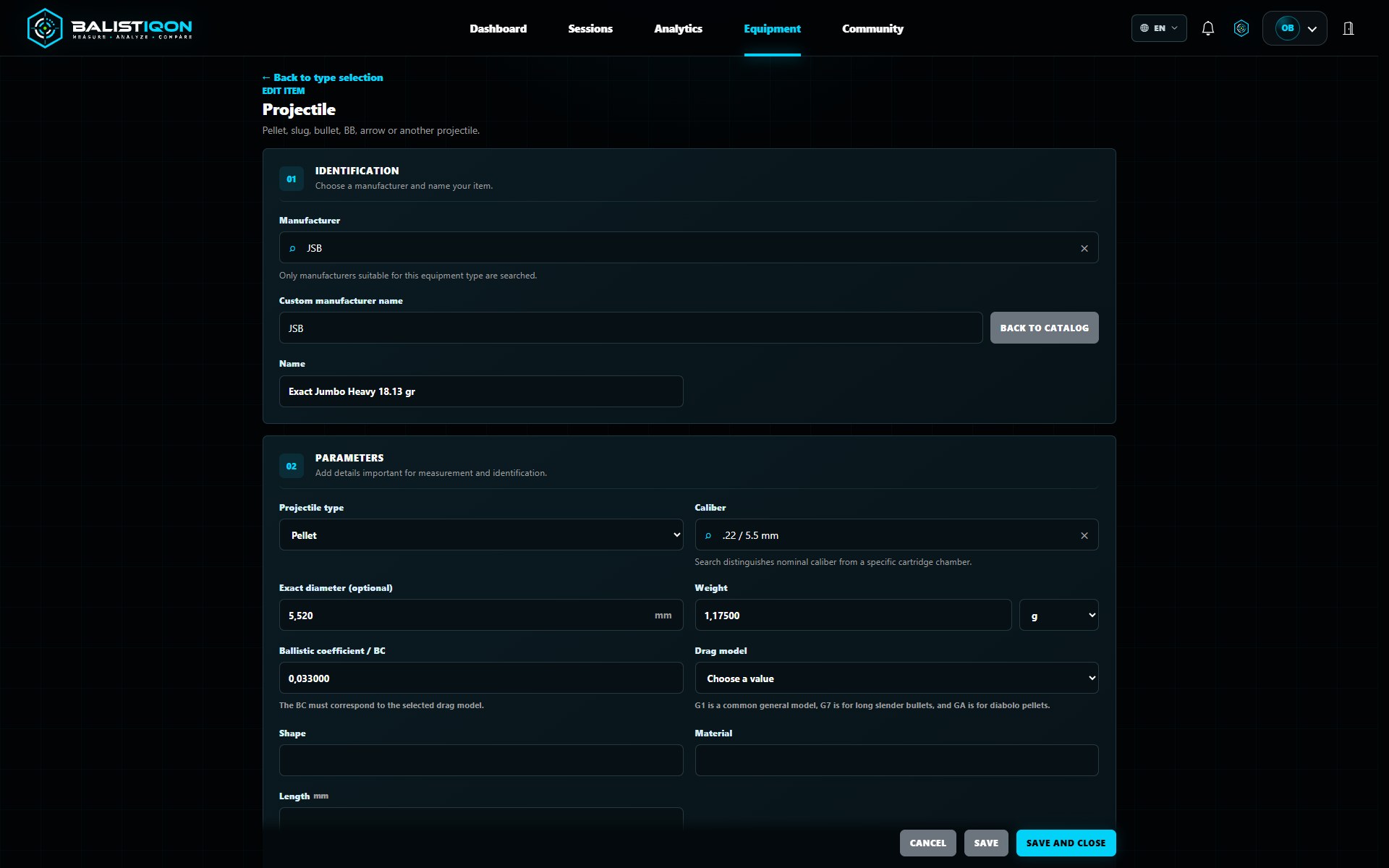
BALISTIQON records launchers, optics, projectiles and complete setups. Manufacturer, model, caliber, technical parameters, photos and zero settings can be stored; records can be edited, copied and reused in later series.
Catalogs for calibers, manufacturers and projectiles speed up entry, while compatible choices reduce mistakes. Personal equipment capacity follows the selected plan.
Offline work and secure synchronization
The mobile client can create or edit a series and add photos without internet access. It marks unsent changes and synchronizes them with the account when connectivity returns; connection state and queued operations remain visible.
Offline mode is intended for temporary work without a signal. Sign-in, initial account loading and some network features still require a connection.
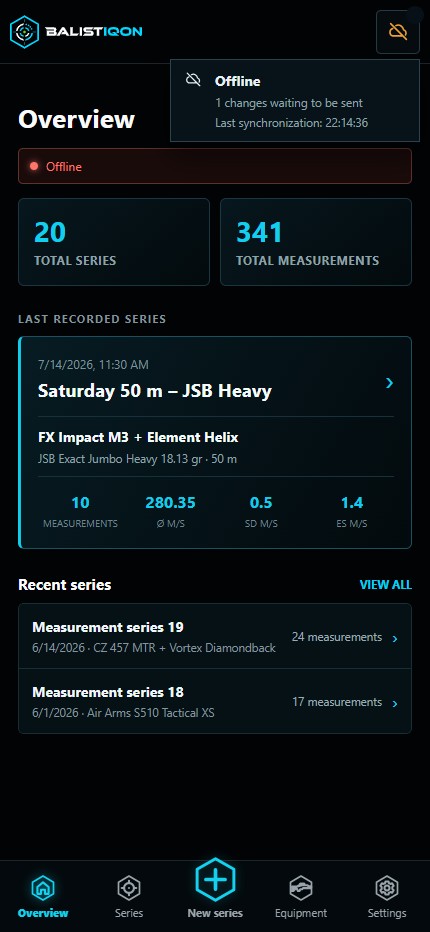
BALISTIQON PWA in the field
See how the mobile client supports quick measurement entry, offline work and synchronization directly at the shooting range.
Measurement context and analytics
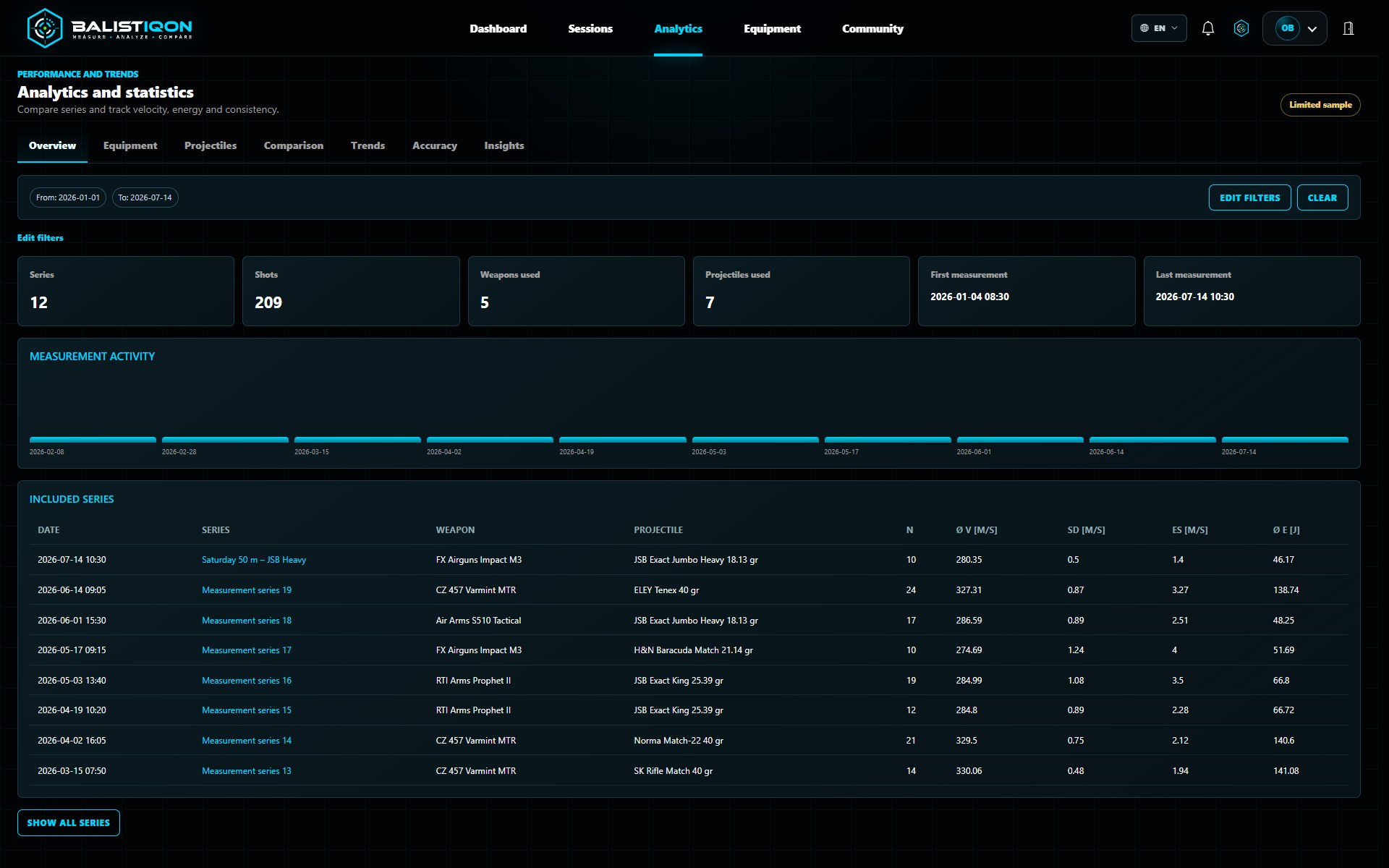
On the web, a series can include location, elevation, weather and additional measurement parameters. Analytics provides overviews, equipment and projectile views, group comparison, trends, data quality and explainable weather relationships.
Filters and source-series links show where every summary comes from. Correlation is not presented as causation.
Ballistics and shot cadence
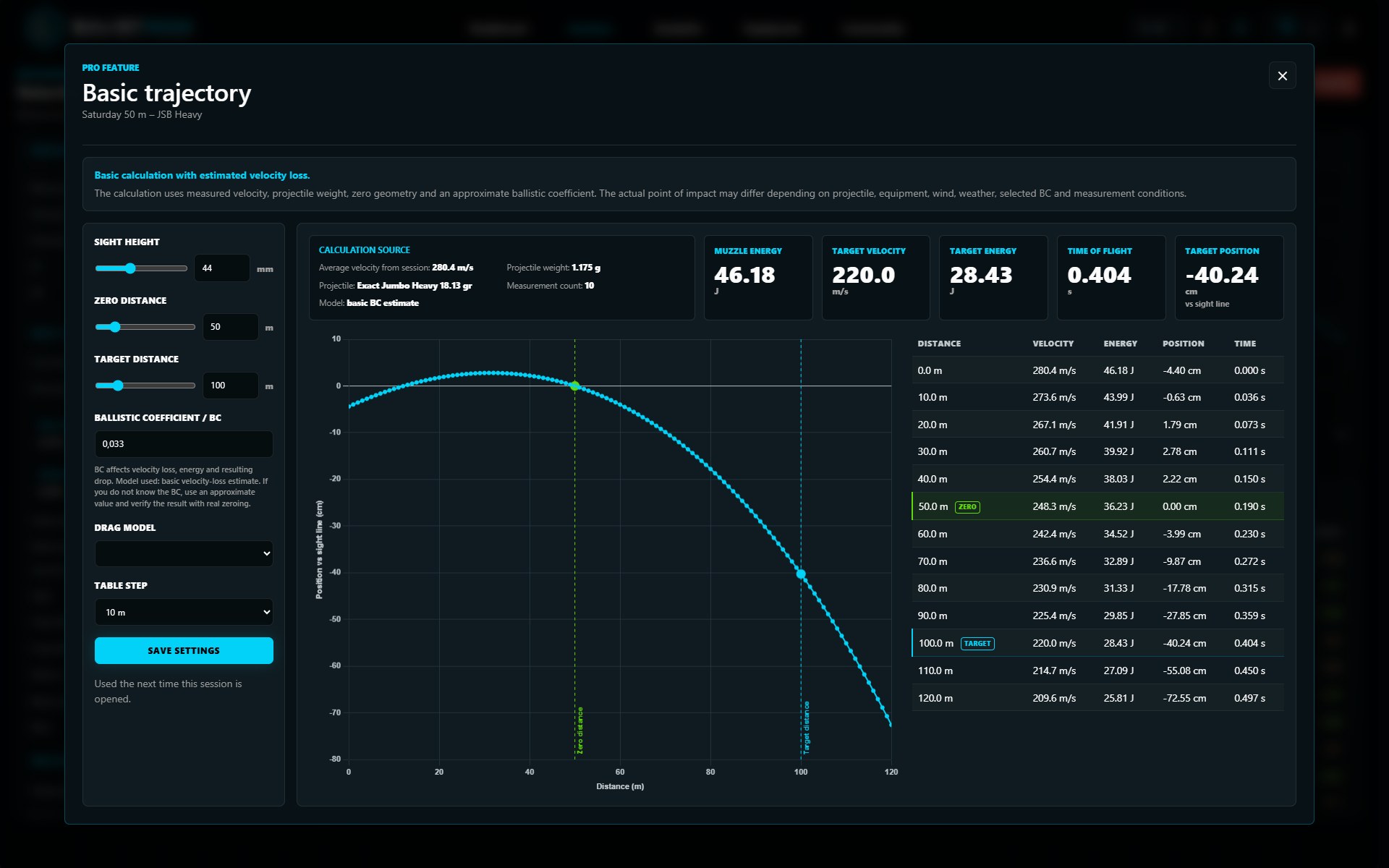
Pro tools use measured velocity and projectile parameters to estimate trajectory, remaining velocity, energy, flight time and position relative to the sight line, shown as both chart and table.
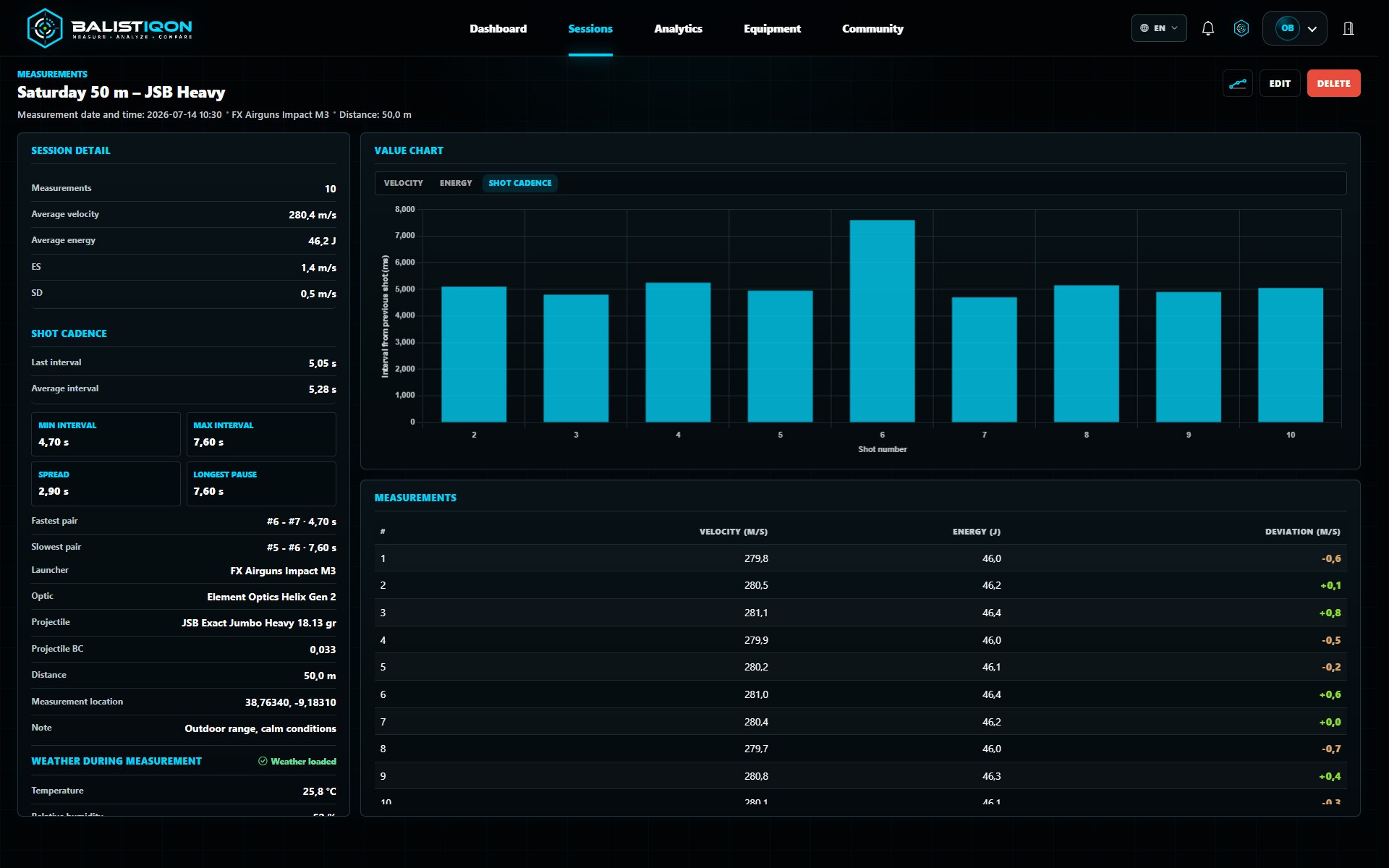
When readings include timestamps, cadence analysis shows shot intervals, averages, fastest and slowest pairs and longer pauses. Calculations are analytical aids and require practical verification.
Imports, exports and photos
Supported imports convert chronograph files into structured series and preview recognized readings before saving. The web also supports data export for further processing.
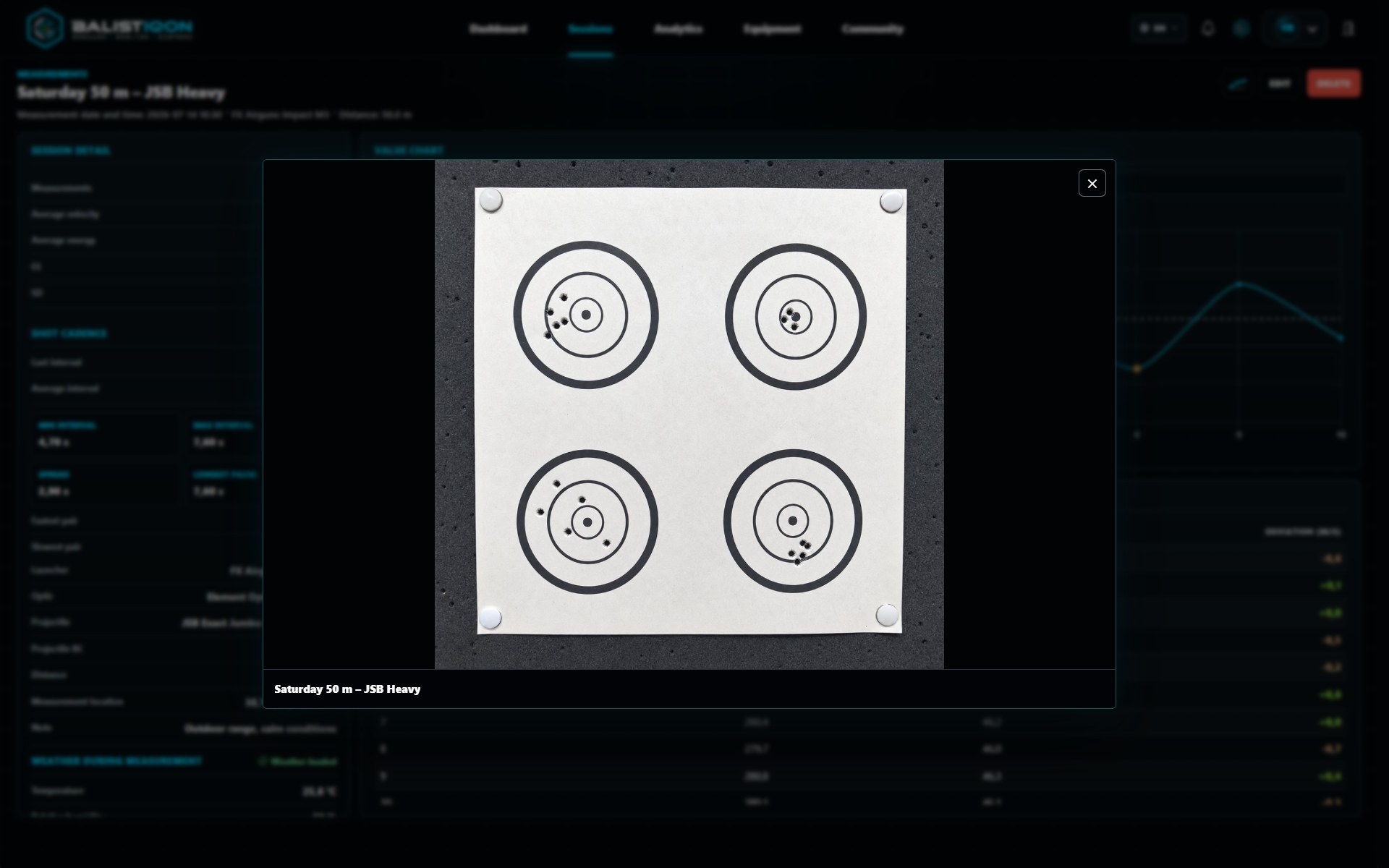
Target and setup photos stay attached to a specific series and add visual context to the numbers. Availability and limits for imports, exports and photos depend on the plan.
Sharing and community
A selected measurement series can be published and discussed in the BALISTIQON community. Categories, comments, reactions, notifications and moderation support traceable discussion around real data.
Public sharing is optional. Private series and account data do not become public automatically.
Free and Pro for different workflows
Free provides the essential workflow with defined limits. Pro expands capacity and unlocks advanced analytics, ballistics, cadence, imports, exports and broader community features. The pricing page is the current source for exact limits.
BALISTIQON is a data and analysis tool for lawful measurement. It is not a store or marketplace for weapons, ammunition or regulated components.
Want to try BALISTIQON?
Start free with the essential tools, or choose Pro for greater capacity and advanced features.